A WhatsApp broadcast lets a business send a message to multiple recipients as individual conversations. For a Malaysian SME, the useful question is how to reach the right customers, handle their replies and know whether the campaign produced enquiries or orders.
This guide explains a practical approach using WebWMS2U. The examples are illustrative, not customer results.
WhatsApp broadcast, blast and group: what is the difference?
People often use “WhatsApp blast” to mean sending a message to a large list. The term does not tell you which technology is being used or whether the recipients expect the message. A broadcast arrives in individual chats; a group puts members into a shared conversation. For customer campaigns, individual chats let replies remain separate.
Choose a method that fits your business
| Connection | Suitable starting point | What to check |
|---|---|---|
| WhatsApp Business App | A small business handling conversations manually | Available broadcast features and recipient requirements in your app. |
| Meta Cloud API | Official API messaging, system integration and structured campaigns | Number eligibility, templates, applicable Meta fees and account limits. |
| WhatsApp Coexistence | An eligible business keeping its Business App while adding Cloud API | Meta eligibility and which app and platform features are supported. |
| Personal-device connection | WebWMS2U workflows through a linked WhatsApp device | This is not Meta Cloud API. It depends on the device link and has account-restriction risk. |
For an official API campaign, review Meta Cloud API. If you want to retain an existing Business App number, check Coexistence eligibility. App broadcast availability and requirements can differ by account, so check the current app rather than assuming a fixed list size or free unlimited sending.
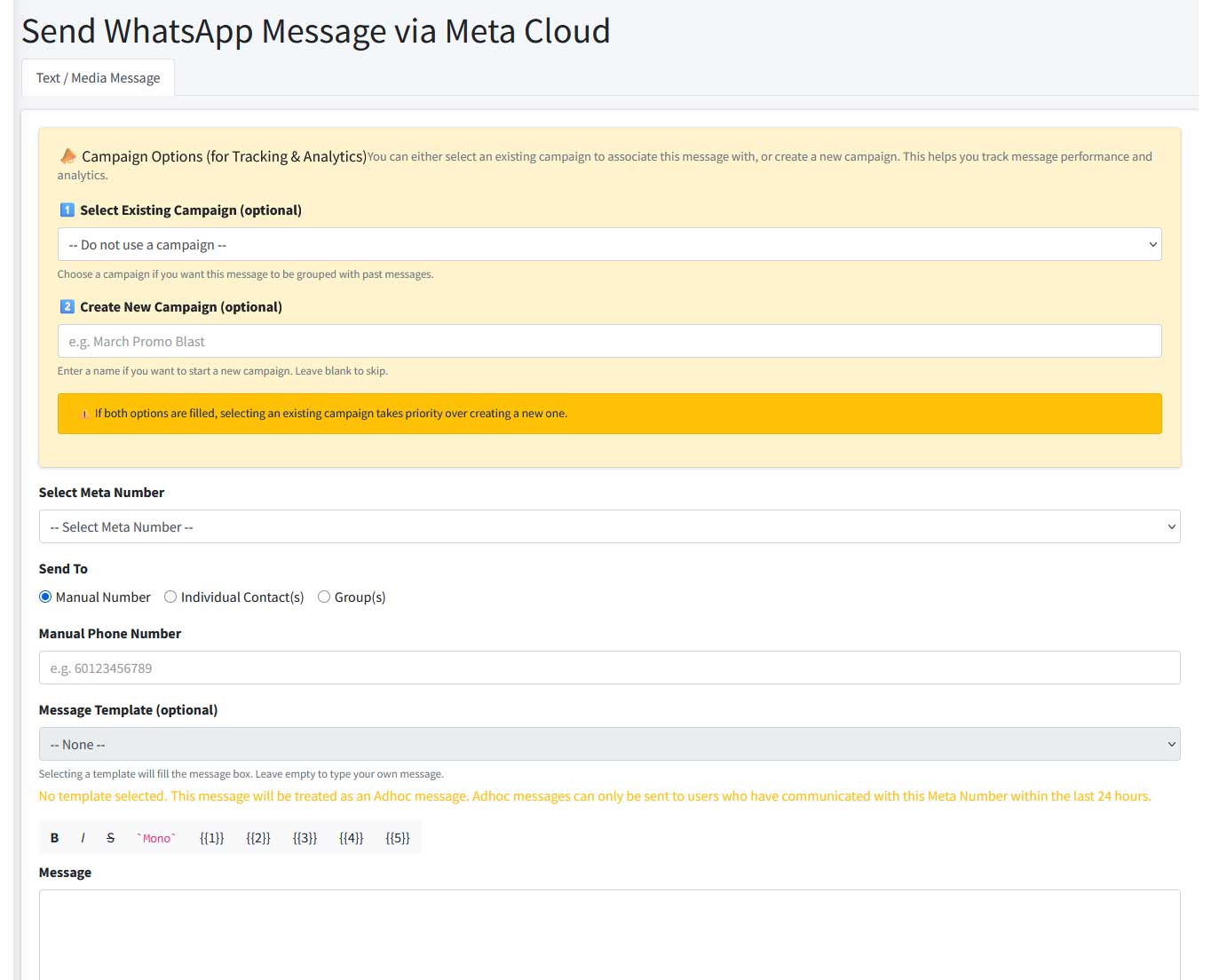
Prepare your first campaign in WebWMS2U
- Pick one objective. Decide whether you want a product enquiry, a booking, a purchase or a response to an announcement.
- Prepare the recipients. Use a relevant contact group and check permission. Avoid bought or scraped lists. Remove customers who have asked you to stop.
- Check the connection. Confirm the intended number is connected and the chosen plan supports it. Review available platform credits.
- Prepare the message. Identify your business, make the value clear and use one next step. For Cloud API marketing, prepare the appropriate approved template.
- Send a test. Check the recipient details, formatting, links, template variables and reply path on a test number before using the customer list.
- Choose the sending time. Use an appropriate schedule and arrange staff coverage for likely replies. Check the time shown in the scheduling interface.
- Review the campaign. Check message activity after sending, investigate failures and record the enquiries or orders that follow.
Example: a weekend promotion for a Malaysian retailer
Suppose a shop has 300 customers who agreed to receive relevant offers. The owner wants enquiries about a new collection. A suitable campaign can identify the shop, give a genuine deadline and invite a simple reply.
Hi Aina, this is Example Home Store. Our new desk collection is available this weekend. Reply DESK for the product list and current prices, or visit our shop before Sunday at 6pm. Reply STOP if you no longer want promotional updates.
The shop could configure DESK as a keyword reply with a link to the collection. A staff member handles stock, delivery or payment questions that need a person. If using Cloud API, submit suitable template wording first; this sample is not a pre-approved template.
Including “Reply STOP” does not itself configure an opt-out workflow. Test how your team or connected system records the request and excludes that customer from later promotions.
Review delivery and customer replies
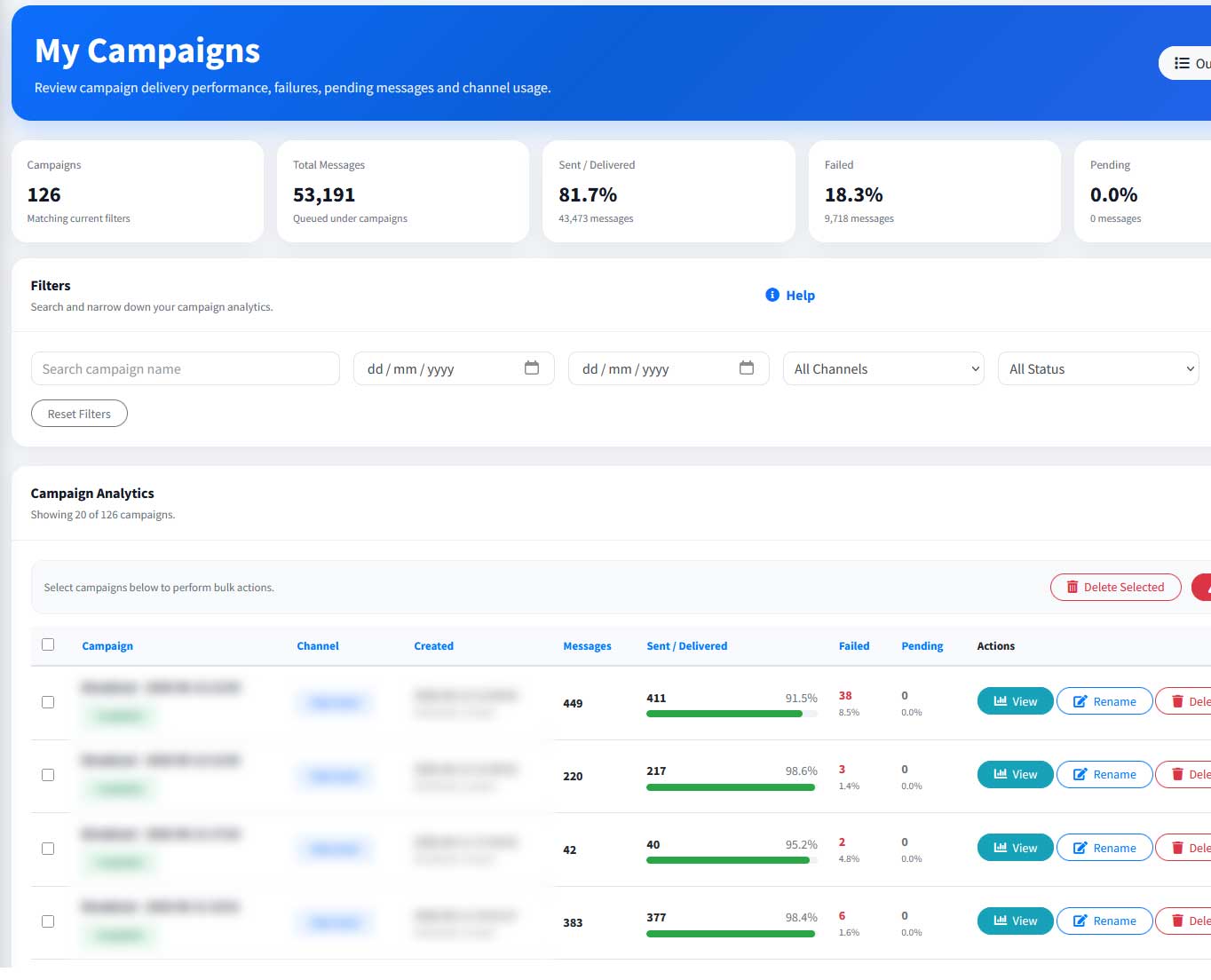
A sent message is not the same as a delivered message, and a delivered message is not a sale. Review the status available for your connection, then compare it with the enquiries, bookings or purchases recorded by your team.
| What to review | What it helps you decide |
|---|---|
| Pending messages | Whether there is still work waiting to be processed. |
| Failed messages | Whether a connection, recipient, template or account issue needs investigation. |
| Delivered messages | How many messages have a delivery confirmation, where supported. |
| Replies and outcomes | Whether the audience and offer produced useful conversations or sales. |
Do not repeatedly resend an entire campaign because some messages failed. First identify the affected recipients and reason, then decide whether a targeted retry is appropriate. Read our message delivery troubleshooting guide.
Arrange the response before you send
Prepare answers for the questions the campaign is likely to generate. Keyword replies can serve predictable requests such as MENU, HOURS or PRICE. AI-supported responses need accurate business information and regular review. Give customers a clear way to reach your staff for exceptions.
Cloud API replies follow the customer-service-window and template rules. Check the current WhatsApp Business Messaging Policy when setting up your workflow. Our customer-service guide explains the operational considerations.
Understand the full cost before sending
Your budget has three parts: the WebWMS2U subscription, platform credits for usage, and applicable Meta messaging fees when using Cloud API or Coexistence. These are separate charges.
Platform subscription
Compare the current plans and number allowances on our pricing page. Included credits cover the subscription term.
Platform usage
Estimate outgoing messages and other processed activity. Additional platform credits may be needed as usage grows.
Meta messaging fees
Meta pricing depends on the destination and message category. Check the current Meta rate card before a campaign.
| Plan reference (14 Nov 2026) | Annual subscription | Included annual credits | Meta number allowance |
|---|---|---|---|
| Starter | RM588/year (RM49/month equivalent) | 1,000 | 0 |
| Growth | RM1,188/year (RM99/month equivalent) | 5,000 | 1 |
| Pro | RM2,388/year (RM199/month equivalent) | 15,000 | 5 |
Prices above are billed annually. Monthly equivalents are for comparison; the credits shown are annual allowances. See the pricing page for current terms, higher plans and add-ons.
For example, a campaign to 300 opted-in customers with one message each means 300 outgoing messages to budget for, before replies or follow-ups. Do not treat the subscription price as the total campaign cost. Assisted onboarding and custom integration can be quoted separately.
Common mistakes to avoid
- Sending the same promotion to every contact regardless of interest.
- Assuming a previous purchase is permission for any future campaign.
- Promising guaranteed delivery or a number that can never be restricted.
- Sending while nobody is available to answer interested customers.
- Counting only messages sent rather than the useful responses received.
Frequently asked questions
Can I broadcast without creating a WhatsApp group?
Yes. Broadcast-style campaigns send individual messages rather than creating a shared group.
Can I schedule messages in WebWMS2U?
Yes. Scheduled messages are available, subject to your connection, credits and applicable messaging requirements.
Do customers need to save my number?
It depends on the method. App broadcast requirements differ from Cloud API delivery. Saving a number does not replace recipient permission.
Can an official API account still be restricted?
Yes. Official API access does not exempt a business from messaging policies or quality controls.
Where should I start?
Choose one opted-in audience, one useful message and a test recipient. Check your connection and costs before expanding.
Prepare your first WhatsApp campaign
Explore WebWMS2U with a 14-day trial and 100 platform credits, then choose the connection and plan that fit your workflow.
Written by the WebWMS2U Team. Reviewed 14 November 2026. Platform capabilities, Meta eligibility, policies and pricing may change. References: WhatsApp Business Messaging Policy and Meta platform pricing.