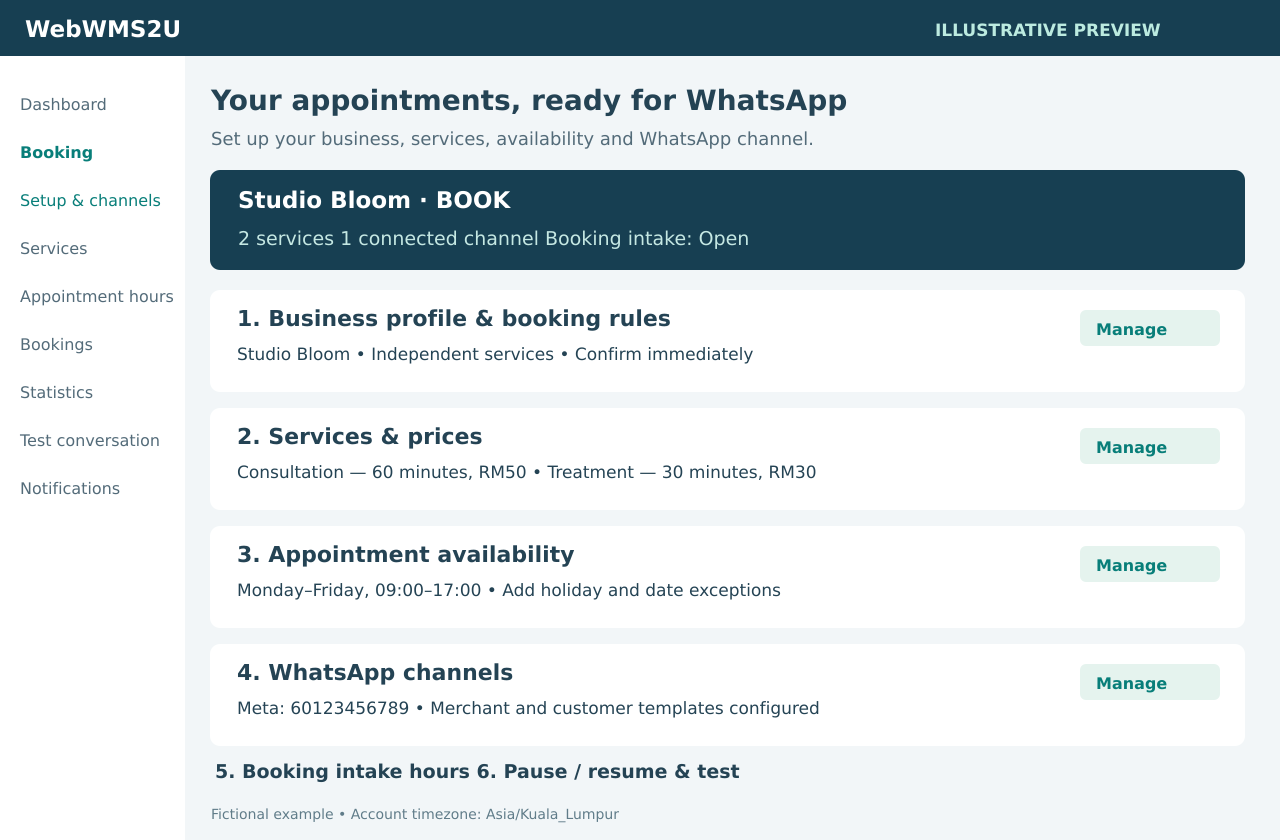
Appointment availability
Controls when the customer can attend. A closed day has no appointments. A closure does not silently cancel appointments already saved.
See the merchant setup, customer chat and day-to-day appointment management before planning your own service.
Start with your business rules and appointment availability. Use the free account preview before accepting bookings from your live WhatsApp number.
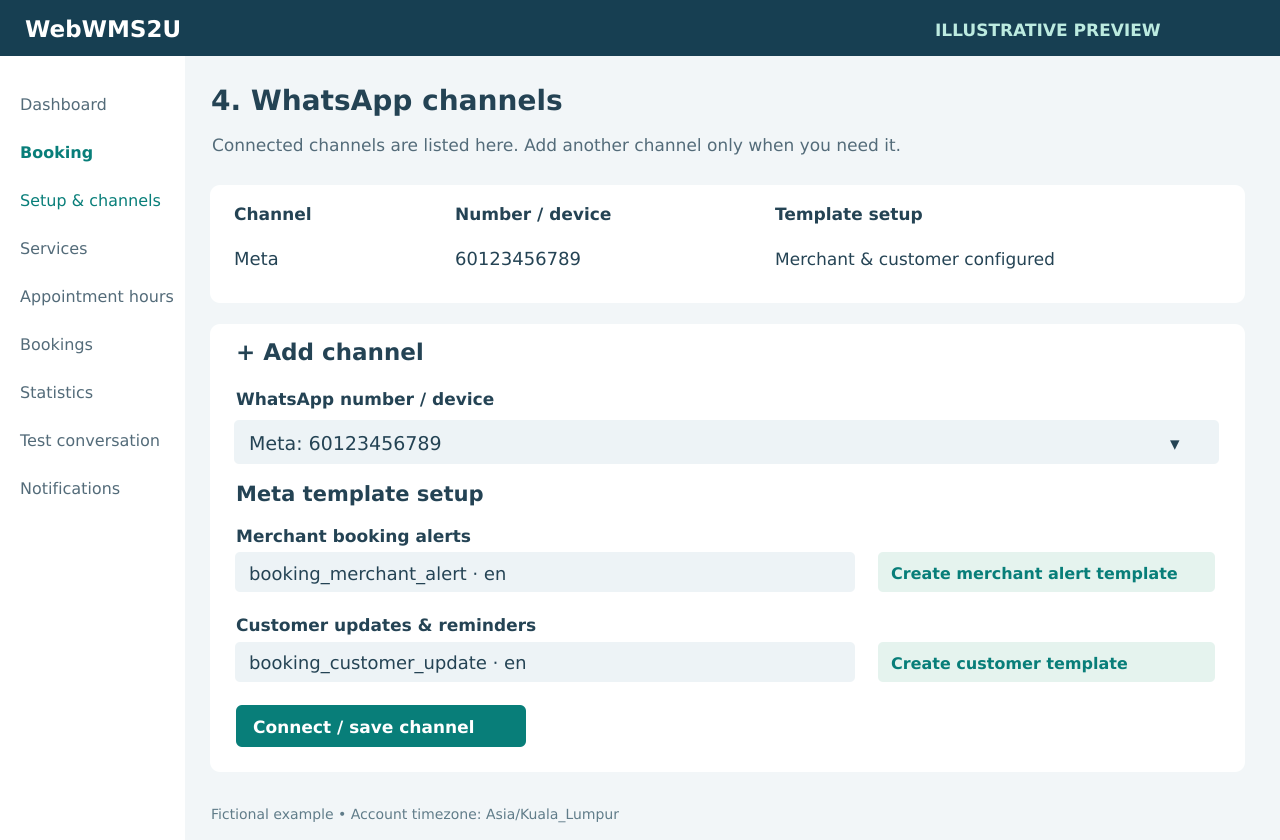
Connected channels appear in a compact list. Each Meta template link selects the right number and prefills the merchant alert or customer update draft. Review and save the draft, submit it from Message Templates, wait for approval, then return to select it. Meta decides template approval.
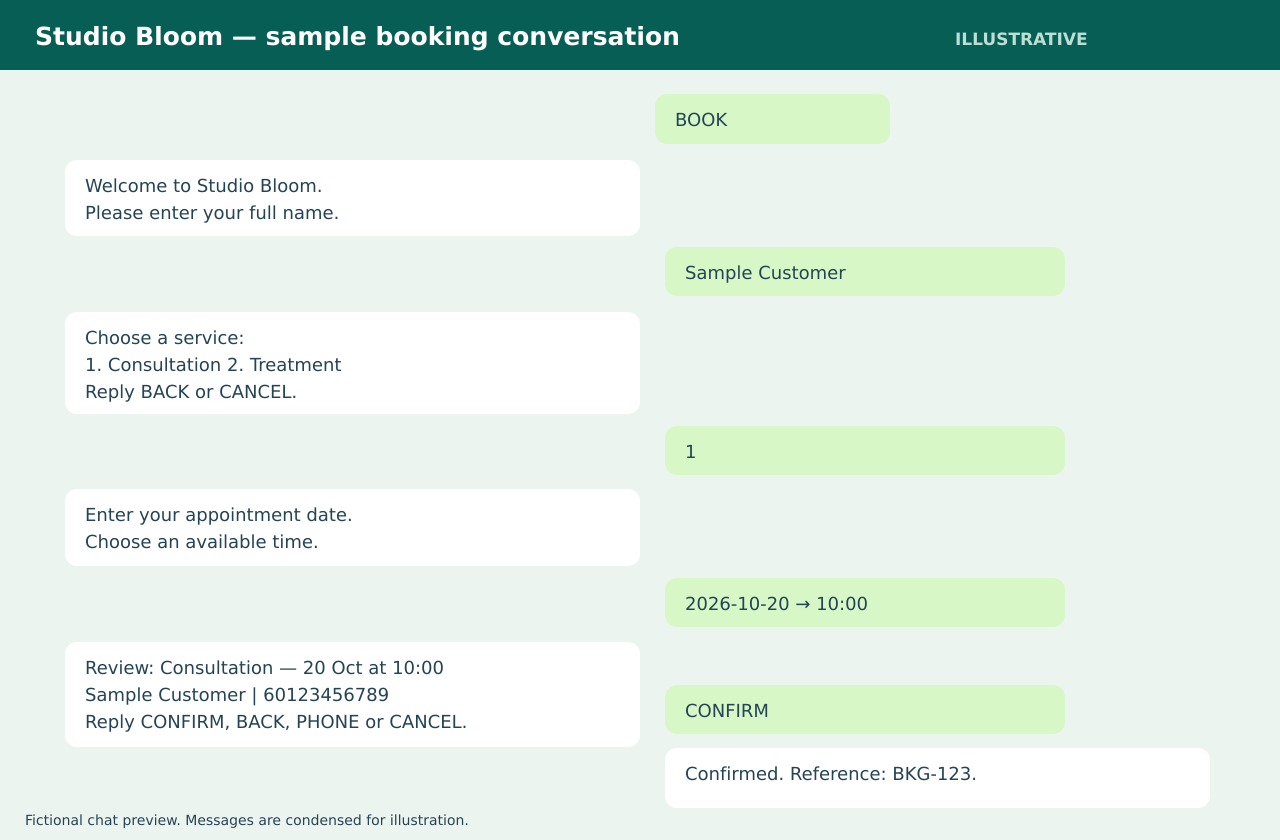
Customers use numbered choices, NEXT/PREV for longer lists, BACK to return and CANCEL to end an unsaved conversation. PHONE changes the booking contact number. After saving, CHECK BKG-123 shows the appointment and CANCEL BKG-123 requests cancellation from the original customer conversation.
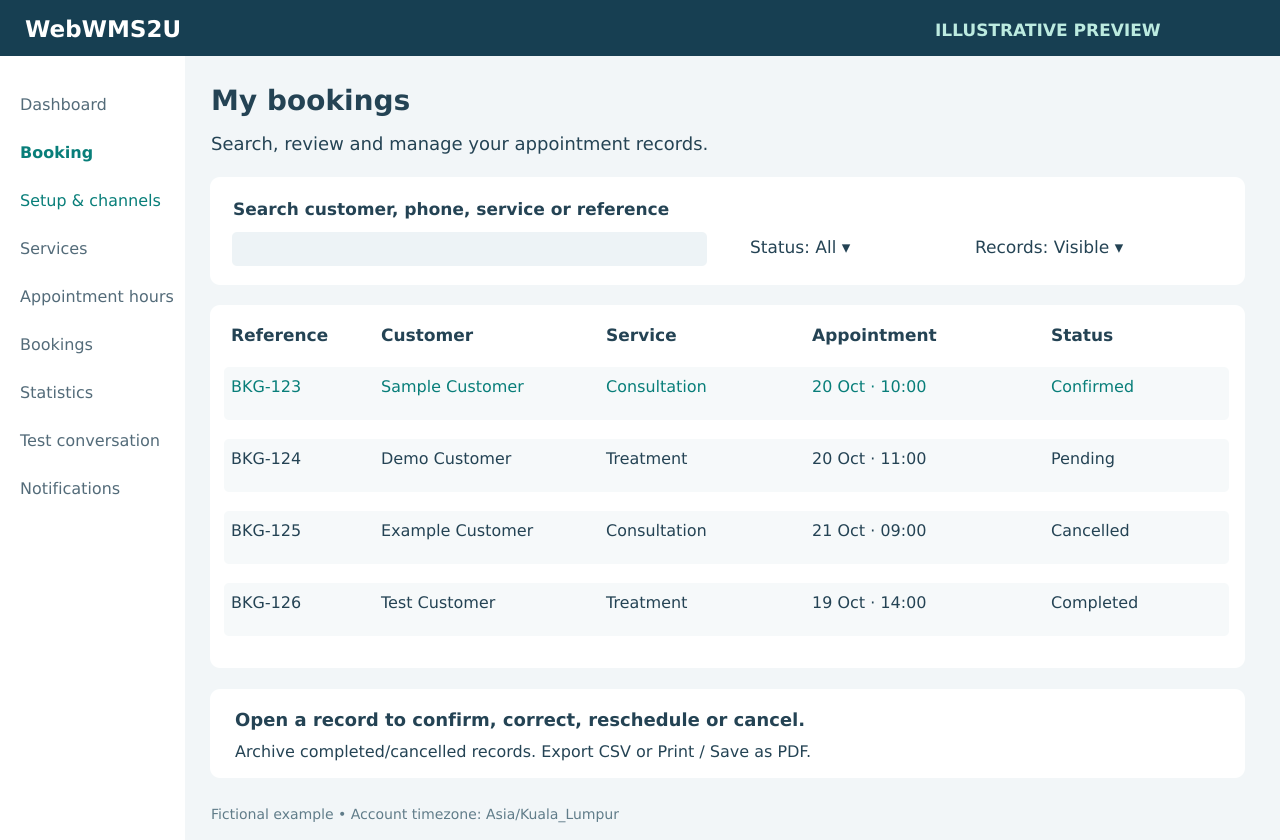
Open a booking to correct contact details, reschedule it or change its status with a reason. Merchants can correct active bookings; terminal-record corrections are handled by administrators. The original WhatsApp destination is retained when a contact number changes.
The configured merchant notification number can use ACCEPT, DECLINE, COMPLETE or CHECK with the booking reference. Dashboard actions are free; resulting WhatsApp updates use credits. WhatsApp commands and acknowledgements are charged message interactions.
Controls when the customer can attend. A closed day has no appointments. A closure does not silently cancel appointments already saved.
Controls when the customer can make a new reservation. Leaving intake open 24/7 lets someone book tomorrow even when your business is closed today.
During a pause or outside intake hours, the reply explains that booking is temporarily unavailable and shows the next intake opening when known. Your enquiry number is included when configured. Existing appointment checks and cancellations remain available.
Tell us your service types, calendar capacity, preferred WhatsApp channel and expected appointment volume. We will help you assess the setup and confirm a quotation.
Contact us to arrange Booking activation and setup. A platform trial does not automatically activate Booking.