A Clear View of the Platform
These screenshots help new users understand what they will be managing inside WebWMS2u.
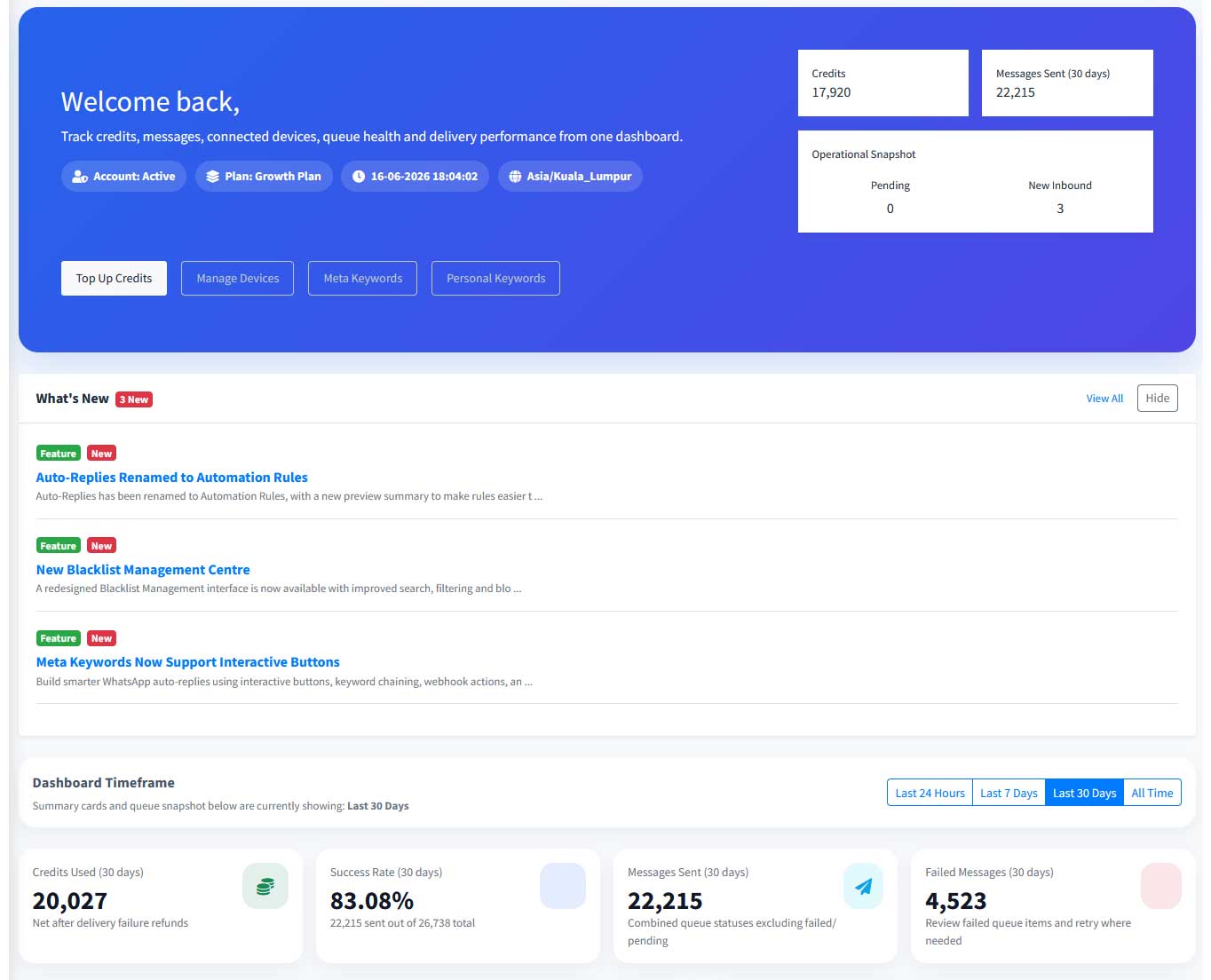
Dashboard Overview
Track credits, messages, connected devices, queue health, delivery performance and recent updates from one dashboard.
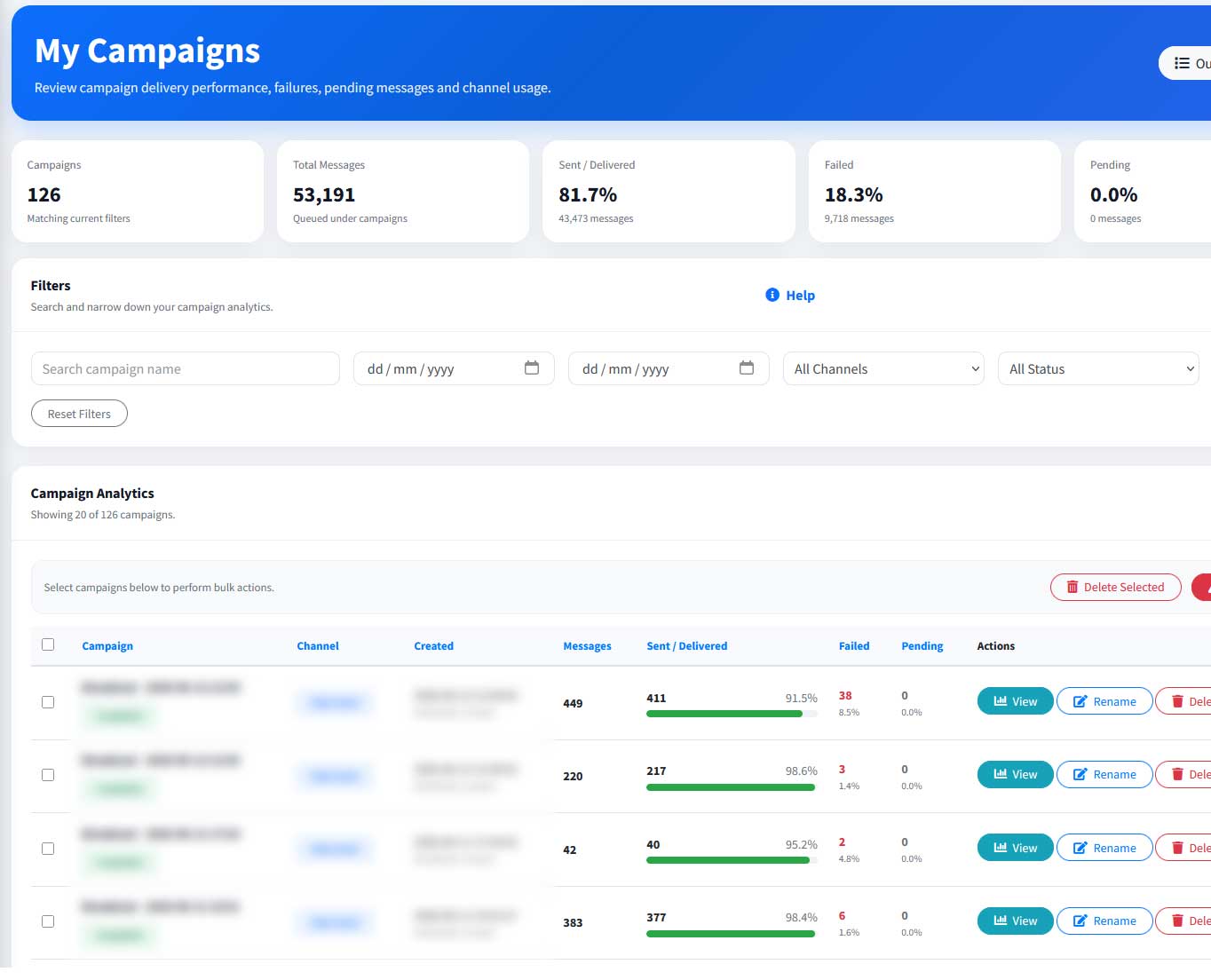
Campaign Analytics
Review campaign delivery, failed messages, pending messages and channel usage to understand message performance.
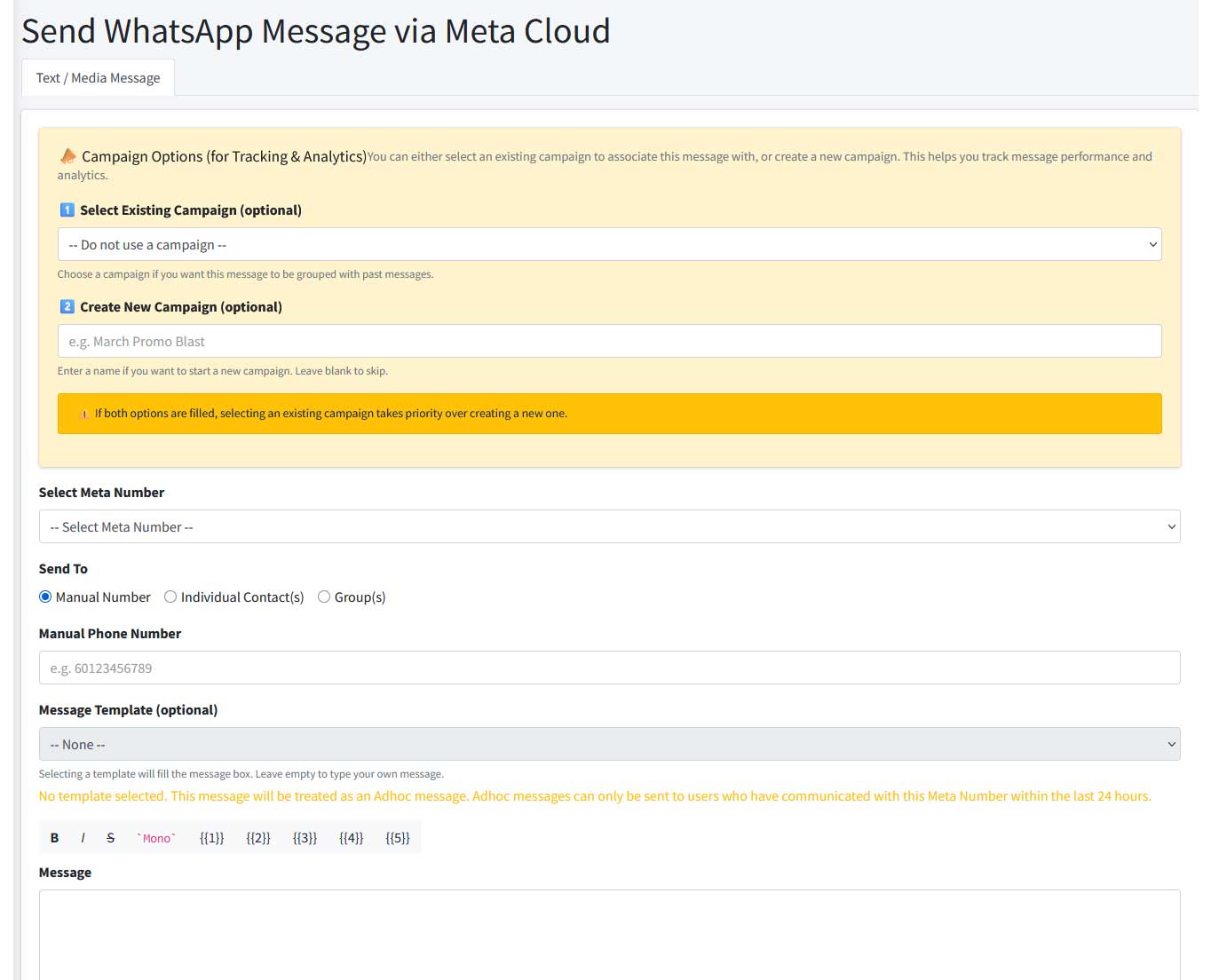
Broadcast & Message Sending
Send WhatsApp messages through Meta Cloud, select templates, group messages into campaigns and track results.
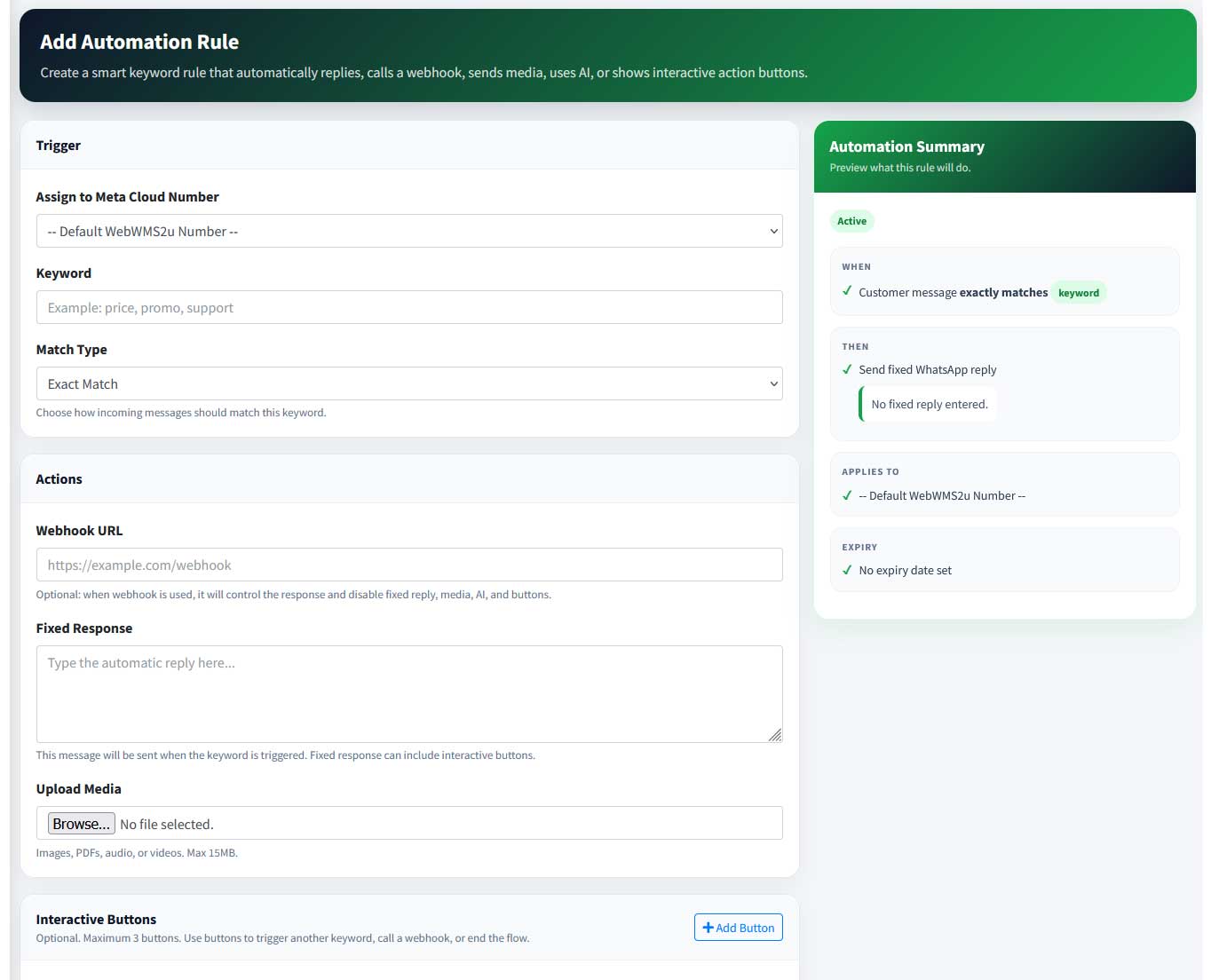
Automation Rules
Create keyword-based automation rules that reply, call webhooks, send media, use AI, or show interactive action buttons.
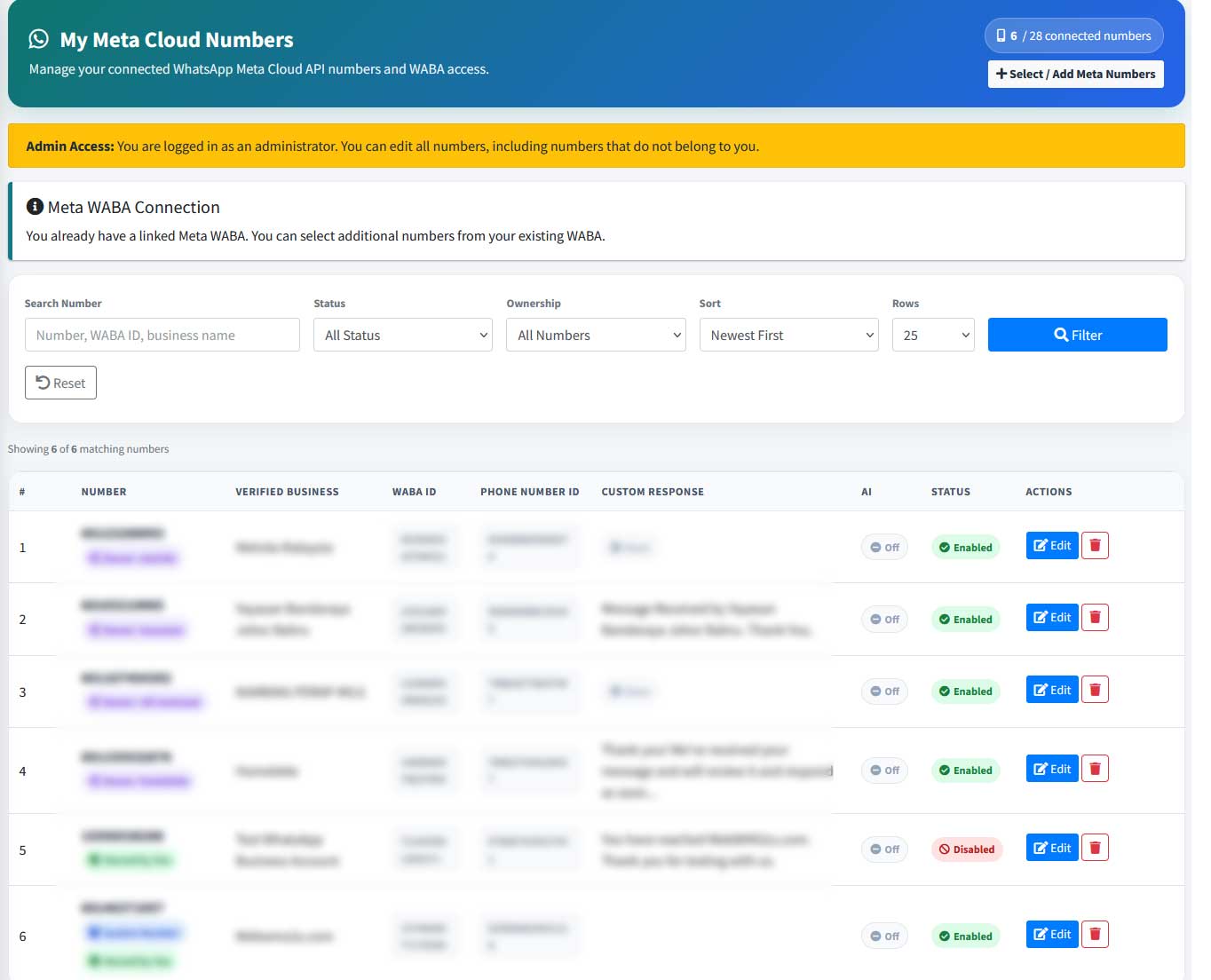
Meta Cloud Number Management
Manage connected WhatsApp Meta Cloud API numbers, statuses, WABA access and custom response settings.
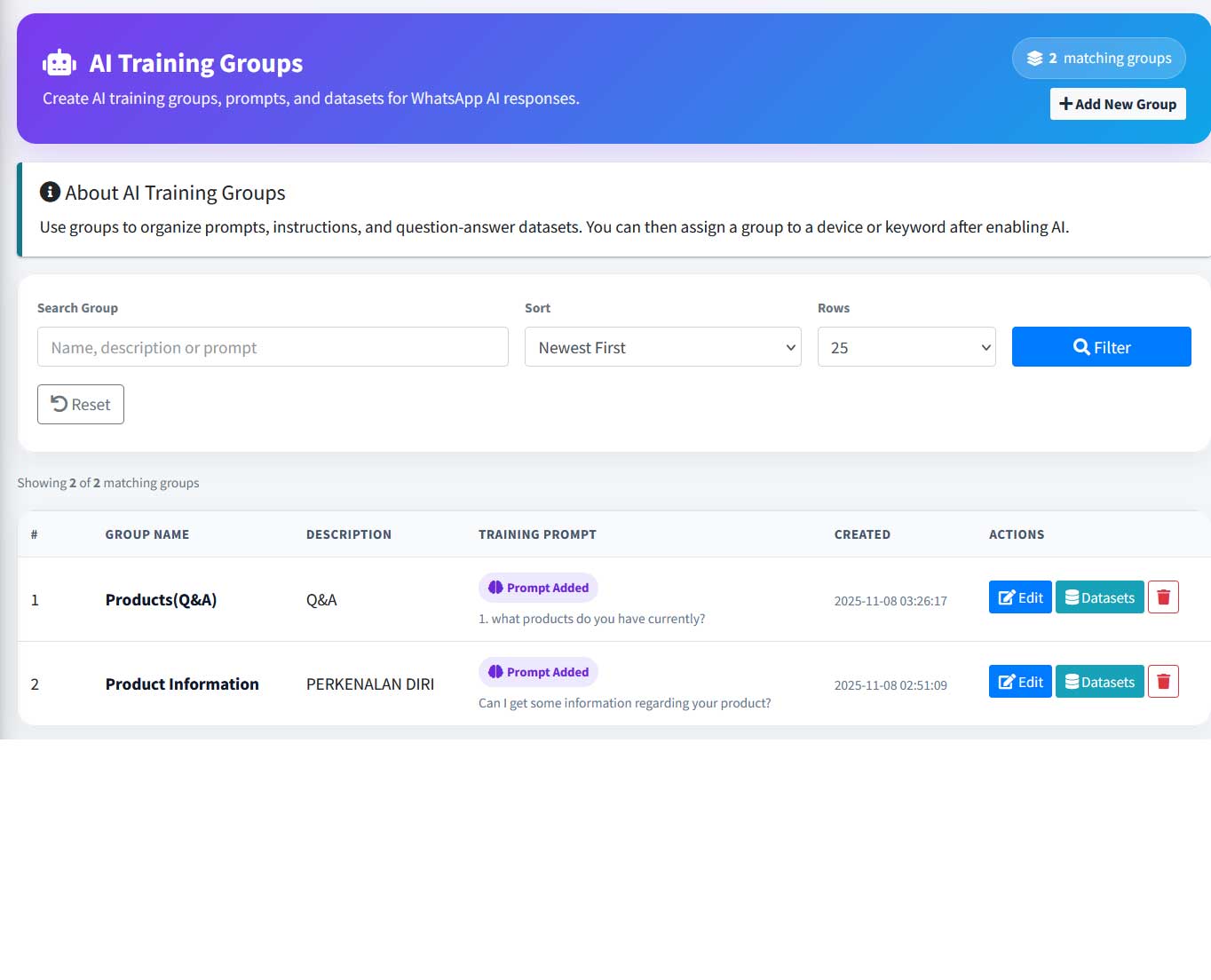
AI Training Groups
Organize prompts, instructions and question-answer datasets so your WhatsApp AI responses match your business information.