For real estate teams and agencies

Respond to Property Enquiries and Viewing Requests Faster on WhatsApp

Use WebWMS2U to automate property enquiries, viewing appointment requests, brochure replies, lead follow-ups and real estate campaign broadcasts through WhatsApp. Many real estate agencies, negotiator teams and property sales organisations already depend on WhatsApp, but messages can become hard to manage when enquiries, reminders, promotions and follow-ups all happen manually.

14-day free trial Malaysia support API, webhooks & AI
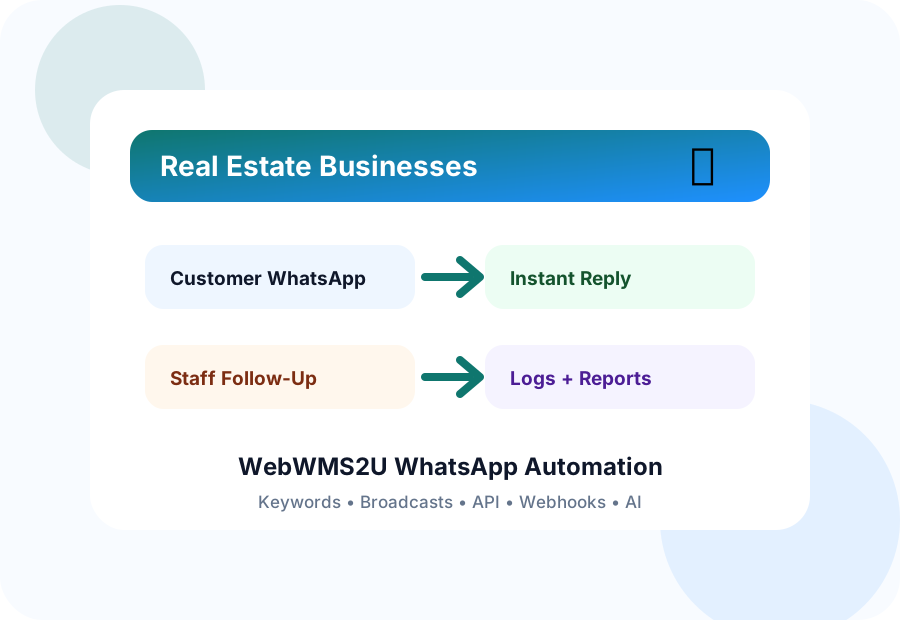
WhatsApp Automation for Real Estate Businesses in Malaysia workflow illustration
Industry Challenges

Common WhatsApp Communication Problems

These are the practical issues that stop teams from responding quickly and consistently.

Leads expect fast replies

Leads expect fast replies after seeing listings

Brochure and location requests

Brochure and location requests are repetitive

Viewing appointments need confirmation

Viewing appointments need confirmation and reminders

Agents need better lead

Agents need better lead follow-up visibility

How It Works

A Simple Automation Flow for Real Estate Agencies

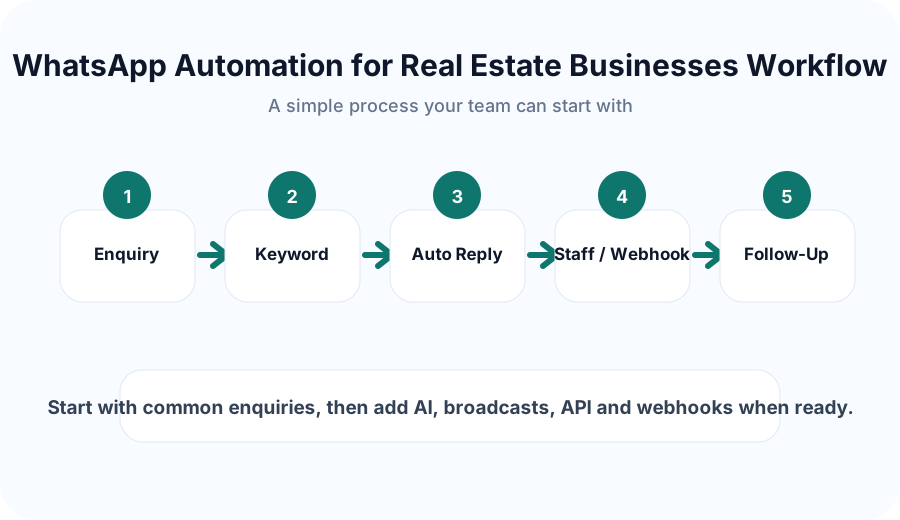
Start with your most common WhatsApp enquiries. WebWMS2U can reply instantly with keywords, send broadcasts to selected groups, keep logs, and connect selected actions to API or webhook workflows.

  • Use keywords to trigger approved replies.
  • Send reminders and follow-ups from one dashboard.
  • Connect selected workflows to external systems.
  • Review activity with inbound and outbound logs.
WhatsApp Automation for Real Estate Businesses in Malaysia automation workflow
Features

Useful WebWMS2U Features for This Industry

These features map directly to the way real estate agencies, negotiator teams and property sales organisations use WhatsApp every day.

Listing keyword replies

Create instant first replies for common WhatsApp questions and route the rest to your team.

Brochure request automation

Use this workflow to make customer communication more consistent and easier for staff to manage.

Viewing appointment reminders

Prepare reminder messages so appointments, renewals or follow-ups are less likely to be missed.

Lead follow-up broadcasts

Send structured updates to selected contact groups instead of messaging customers one by one.

Agent routing workflows

Use this workflow to make customer communication more consistent and easier for staff to manage.

CRM webhook support

Connect selected messaging workflows to forms, CRM tools or your own systems.

Sample Conversation

What an Automated WhatsApp Reply Can Look Like

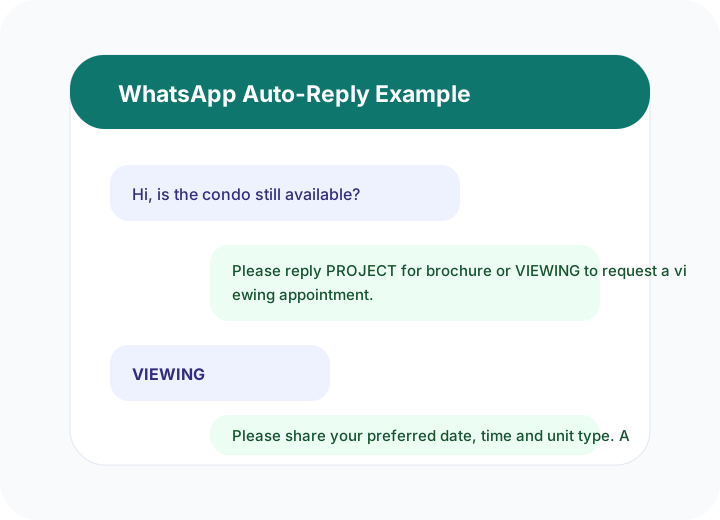
Use these sample flows as a starting point. Your actual replies can be customized based on your business policy, tone and approval process.

Listing keyword repliesBrochure request automationViewing appointment remindersLead follow-up broadcasts
Hi, is the condo still available?
Please reply PROJECT for brochure or VIEWING to request a viewing appointment.
VIEWING
Please share your preferred date, time and unit type. An agent will follow up.
Sample only. You can customize keywords, templates and routing.
Business Impact

What This Helps Improve

The goal is to create a more reliable WhatsApp communication process without making your team depend on manual replies for everything.

Fasterfirst replies to common enquiries
Cleanermessage logs and campaign records
Smarterfollow-up using keywords, AI and webhooks
Sample WhatsApp chat automation for WhatsApp Automation for Real Estate Businesses in Malaysia
Why WebWMS2U

Designed for Malaysian SMEs That Want Practical Automation

WebWMS2U supports WhatsApp automation, API access, webhook integration, keyword replies, logs, broadcasts and AI chatbot workflows. It is suitable for businesses that want a practical platform with Malaysia-based support.

NeedHow WebWMS2U Helps
Common customer questionsKeyword replies and approved templates
Follow-up and remindersBroadcasts, message credits and logs
System integrationAPI keys and webhook support
Team visibilityInbound and outbound message records
FAQ

Common Questions

Useful answers before setting up WhatsApp automation for your business.

Yes. Keywords can send brochure links or request details for staff follow-up.

Yes. A VIEWING keyword can collect preferred dates and times.

Webhook and API features can support integration workflows.

You can design routing workflows depending on your setup.

Yes, to suitable lead groups and according to consent requirements.
Get Started

Try WebWMS2U with Your Own WhatsApp Use Case

Start a free trial and test keyword replies, broadcasts, logs, AI support, webhooks and API access using your real business workflow.

Start Free Trial